Everything You Need to Build Better Products

Release Cadence connects customer feedback to your development workflow — from pulling ideas out of Jira Product Discovery and surveying customers on social media, to pushing validated requirements and design docs back to your developers in Jira.

Feedback Management

Collect Feedback That Matters

Create surveys, share them on social media, and gather real feedback from your users where they already are.

Survey Templates

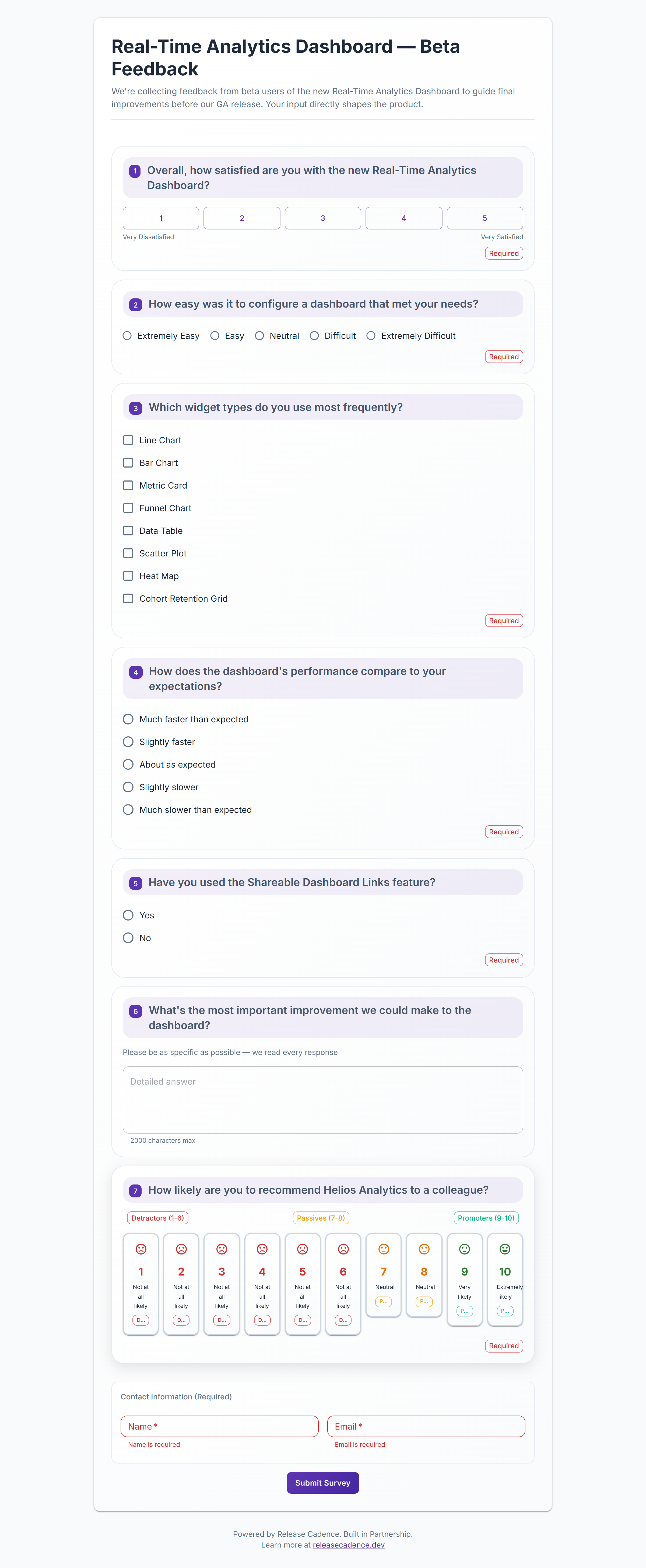
Pre-built templates for feature requests, NPS, satisfaction, and more. Or create your own from scratch.

Multiple Question Types

Text, multiple choice, ratings, numbers, dates, and more. Build exactly the survey you need.

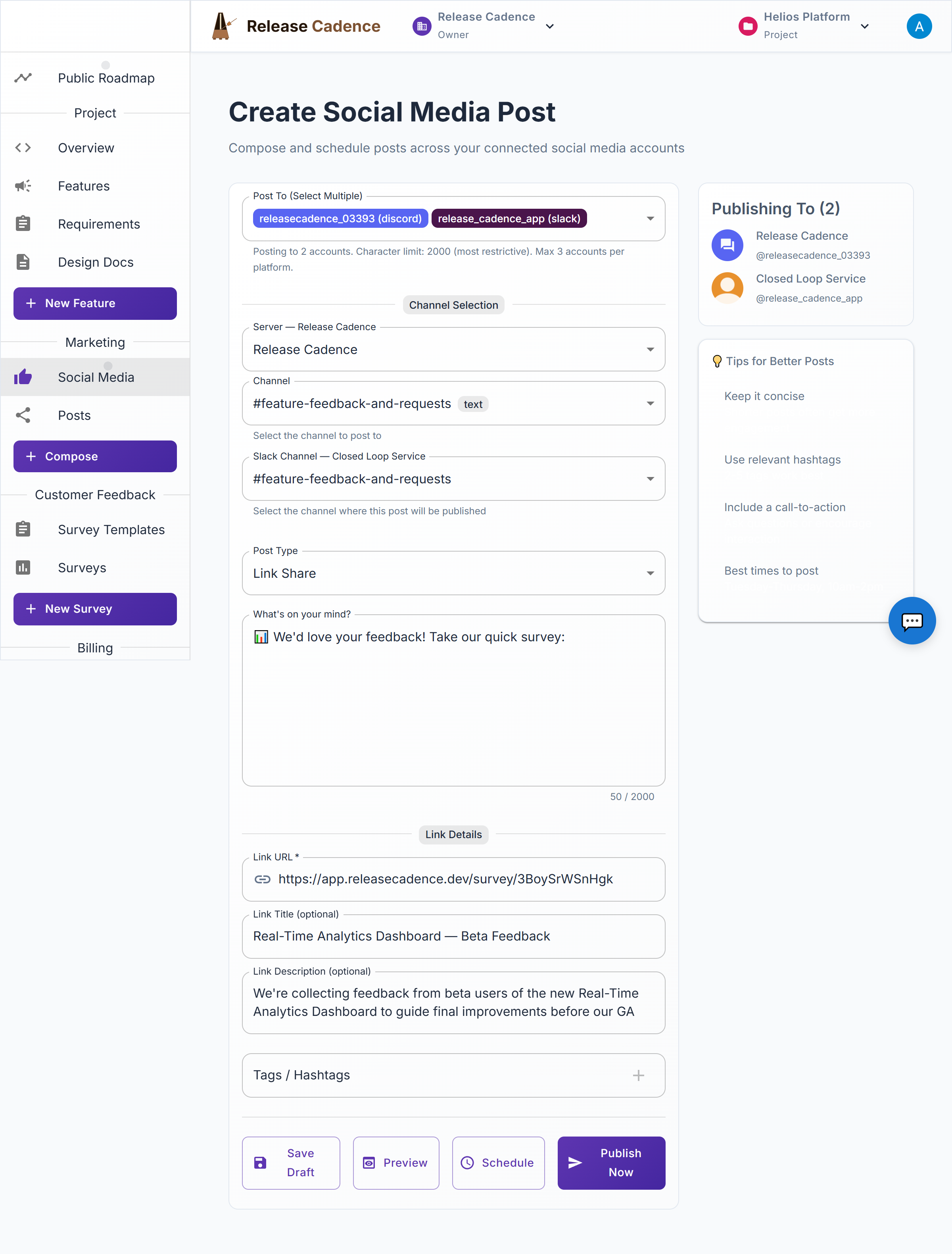
Social Media Sharing

Share surveys directly to LinkedIn, Discord, and Slack with one click.
Survey Template Builder
Roadmap Planning

Plan Features Your Users Want

Turn feedback into actionable features. Organize, prioritize, and share your roadmap with confidence.

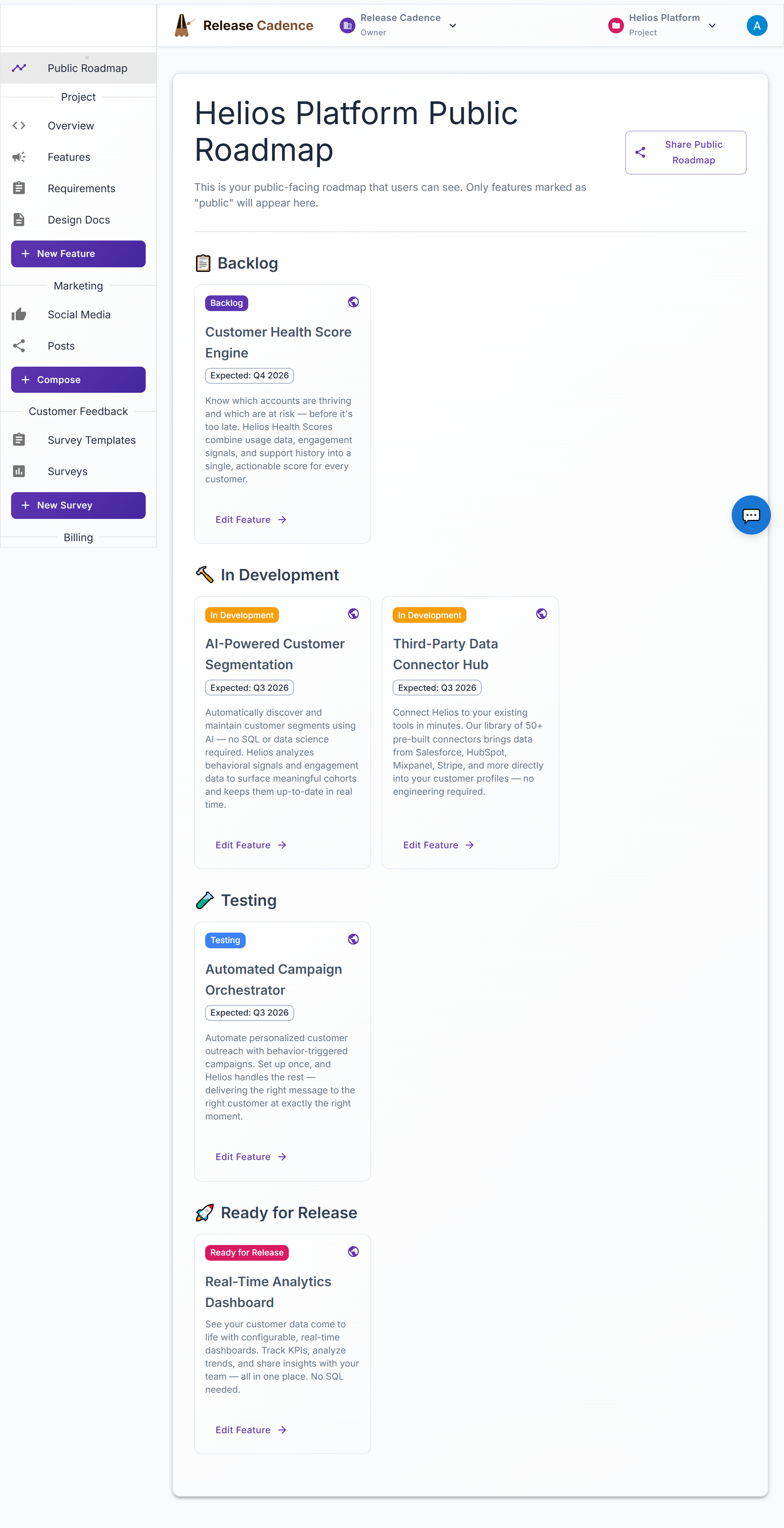
Public Roadmaps

Share your product roadmap with your community and gather feedback.

Feature Status Tracking

Track features from idea to release with clear status indicators.

Link Surveys to Features

Connect surveys directly to features to gather targeted feedback.

Build in Partnership

Reach Customers and Hear Back from Them

Social media is your channel to customers — use it to share what you're building and to distribute surveys that bring their feedback back to your team.

Survey Distribution at Scale

Push feature surveys directly to LinkedIn, Discord, and Slack — reaching customers where they are instead of waiting for them to come to you.

Roadmap & Progress Updates

Share what you're shipping and what's coming next. Keep your community informed and show them you're acting on their input.

Scheduled Posts

Compose once and post to multiple platforms — immediately or on a schedule. Up to 3 accounts per platform on Pro.

Survey Template Builder
Requirements & Design Docs

From Feedback to Committed Requirements

Turn user feedback and feature goals into structured, versioned requirements — then generate design documents directly from what your team has committed to building.

Structured Requirements with MoSCoW Priority

Define requirements at both the project and feature level. Assign Must / Should / Could / Won't priority and write BDD-style acceptance criteria (Given / When / Then) so every requirement is testable.

Checkpoint Snapshots

Mark requirements as ready, then commit them as a named checkpoint — an immutable snapshot of exactly what was agreed upon. Committed requirements can be revised by uncommitting them, creating a clear audit trail.

Versioned Design Documents

Generate a design document from any committed checkpoint using a configurable template. Optionally compare against a previous checkpoint to see exactly what changed — added, modified, or removed — across versions.

Link Feedback to Requirements

Attach survey responses and customer feedback directly to feature-level requirements as supporting evidence, so your team always knows why a requirement exists.

Atlassian Integration

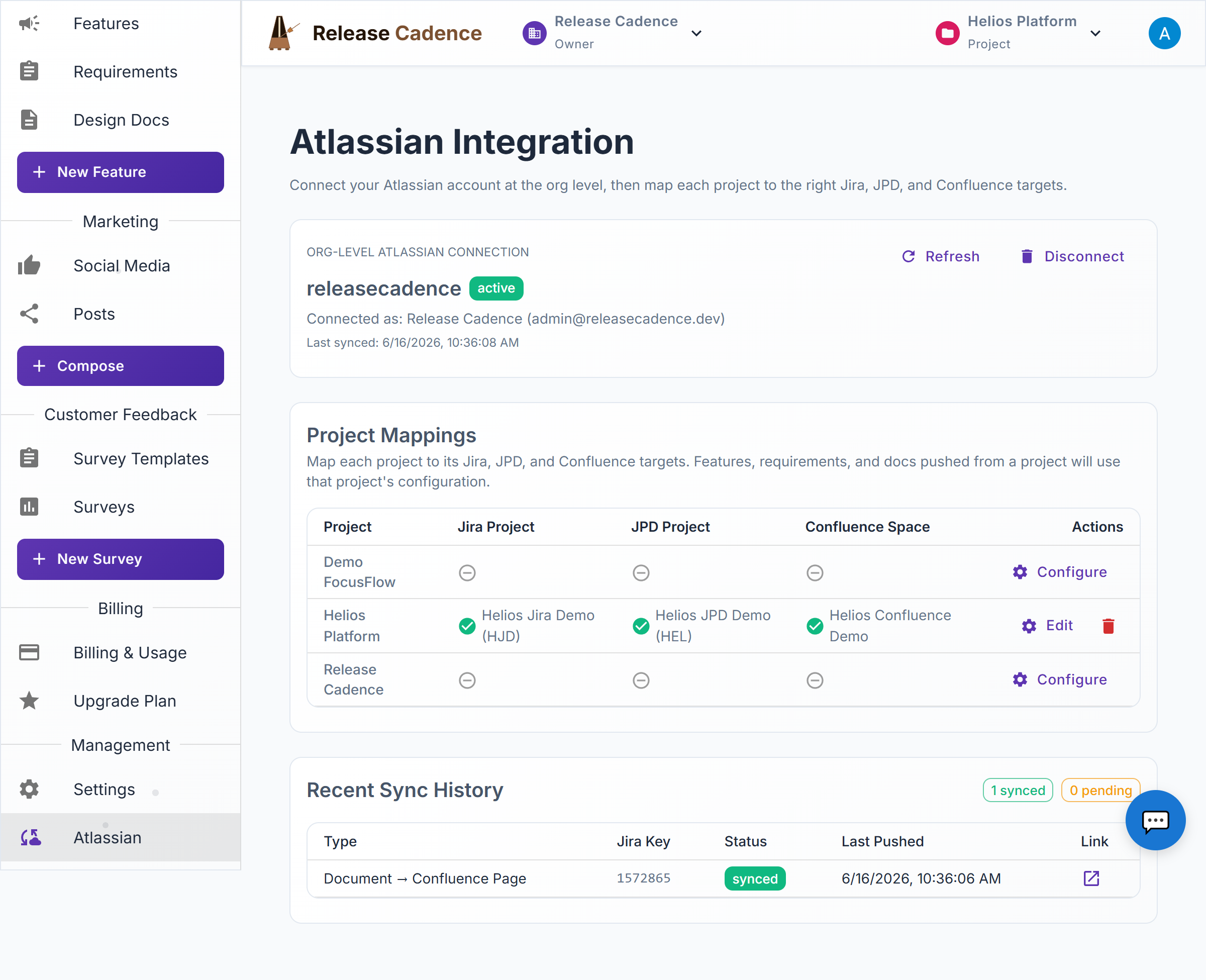
Connect Jira, Jira Product Discovery, and Confluence

Connect your Atlassian workspace once at the organization level, then configure each project to push directly into your existing Jira projects, JPD boards, and Confluence spaces — no duplicate data entry.

Push to Jira

Push a feature as a Jira Epic. Push its committed requirements as linked Stories, and work items as Tasks — all automatically linked to their parent Epic.

Jira Product Discovery (JPD)

Push features or customer surveys as JPD Ideas for your team to score and prioritize. Pull prioritization data, status, labels, and comments back into Release Cadence to inform your roadmap decisions.

Confluence Design Docs

Push versioned design documents to Confluence as pages in your configured space, or attach them directly to the related Jira Epic — automatically linked so your team finds everything in one place.

Import from Atlassian

Browse your existing Jira Epics and JPD Ideas and import them as Release Cadence features — useful when your team is already working in Jira and wants to add the feedback and requirements workflow on top.

Survey Template Builder

Complete Feature List

Everything you need in one platform

✓ User Feedback Surveys

Create surveys to get feedback on your features

✓ Survey Templates

Pre-built templates to get started fast

✓ Public Roadmaps

Share your plans with the world

✓ Feature Status Tracking

Track features from idea to release

✓ Social Media Integration

LinkedIn, Discord, and Slack

✓ Team Management

Invite team members and assign roles

✓ Multiple Projects

Organize work across projects

✓ Work Items

Break features into actionable tasks

✓ File Attachments

Add images and files to features

✓ Role-Based Permissions

Control access with viewer, contributor, and maintainer roles

✓ Requirements Management

Project-level and feature-level requirements with MoSCoW priority and type classification

✓ Acceptance Criteria

BDD-style Given / When / Then criteria to make requirements testable

✓ Requirement Checkpoints

Immutable snapshots of committed requirements with a full revision history

✓ Versioned Design Documents

Generate design docs from checkpoints with optional diff view against prior versions

✓ Jira Integration

Push features as Epics, committed requirements as Stories, and work items as Tasks

✓ Jira Product Discovery (JPD)

Push features and surveys as JPD Ideas; pull back prioritization data and comments

✓ Confluence Integration

Publish design documents as Confluence pages or as attachments on Jira Epics

✓ Import from Atlassian

Browse and import existing Jira Epics and JPD Ideas as Release Cadence features

Ready to Get Started?

Start with our free plan. No credit card required.

Get Started Free